Work / Nova Reply
Social posts written and designed by AI, with settings made for non-designers
The agent already replies to reviews. Now it also writes and designs posts. I designed the settings so owners who are not designers get a good result every time.
- Client
- Nova Reply
- Year
- 2026
- Tools
- Lovable
Return on investment
- More product valueThe agent now creates content, not only replies to reviews.
- Less mental loadOwners no longer search for ideas, write posts or design visuals.
- An aha moment in onboardingThe live preview shows a post for their own business, so users see the value right away.
Context
A new edge over competitors: the agent now creates content, not only replies.
Nova Reply already answers reviews on the platforms of local businesses. With this feature, the agent also creates written and visual content automatically.
This is not my first time automating design. In 2025, for Invio, I faced the same hard question: how to automate layouts for non-designers, while keeping a balanced composition, the visual identity and the contrast (WCAG).
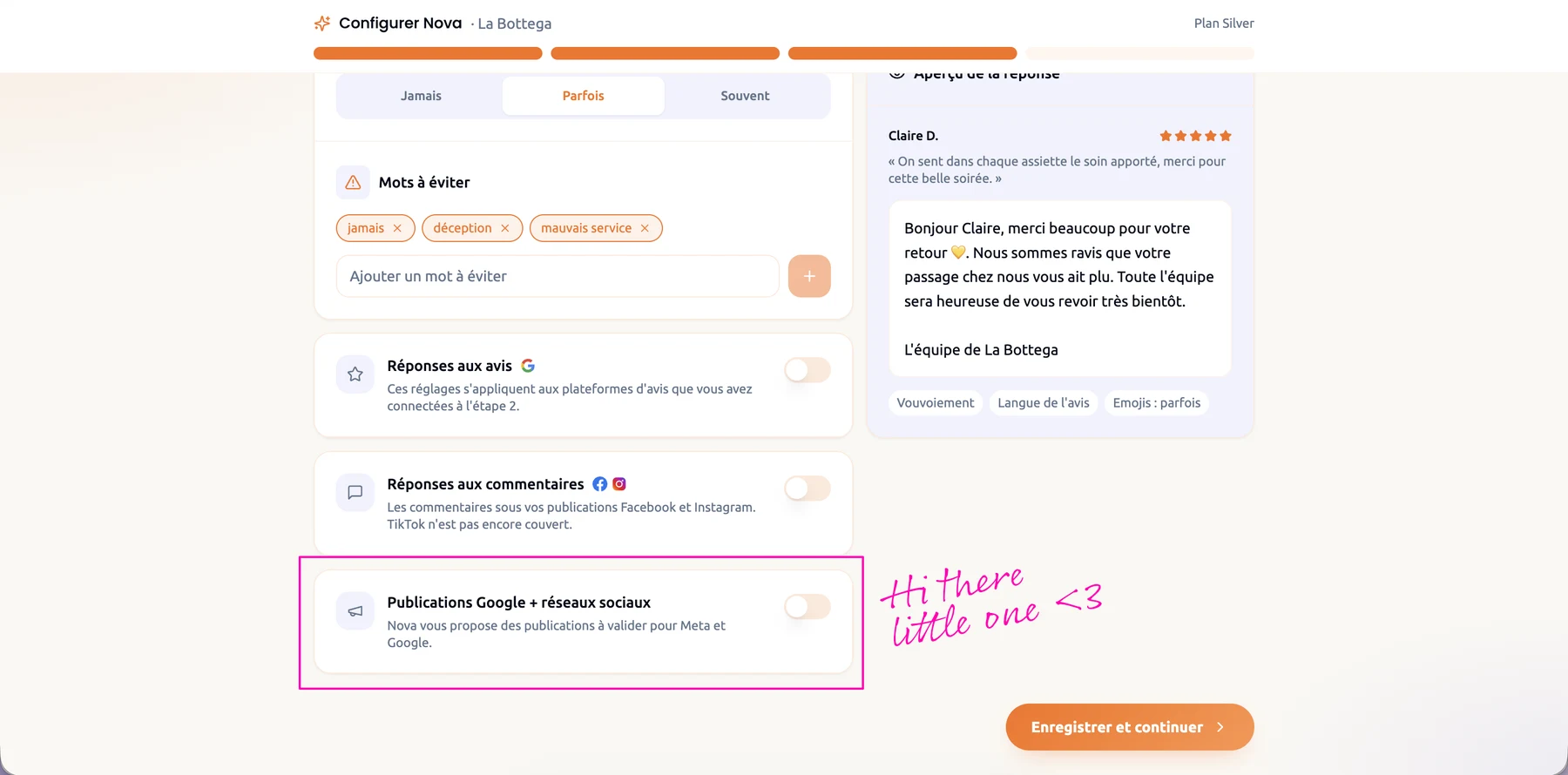
When to publish
Lower AI costs, and reminders that bring users back.
First, users choose when they want to publish. The agent only works when needed, which saves tokens. It also lets us send reminders, in the app and by email if the user agrees.
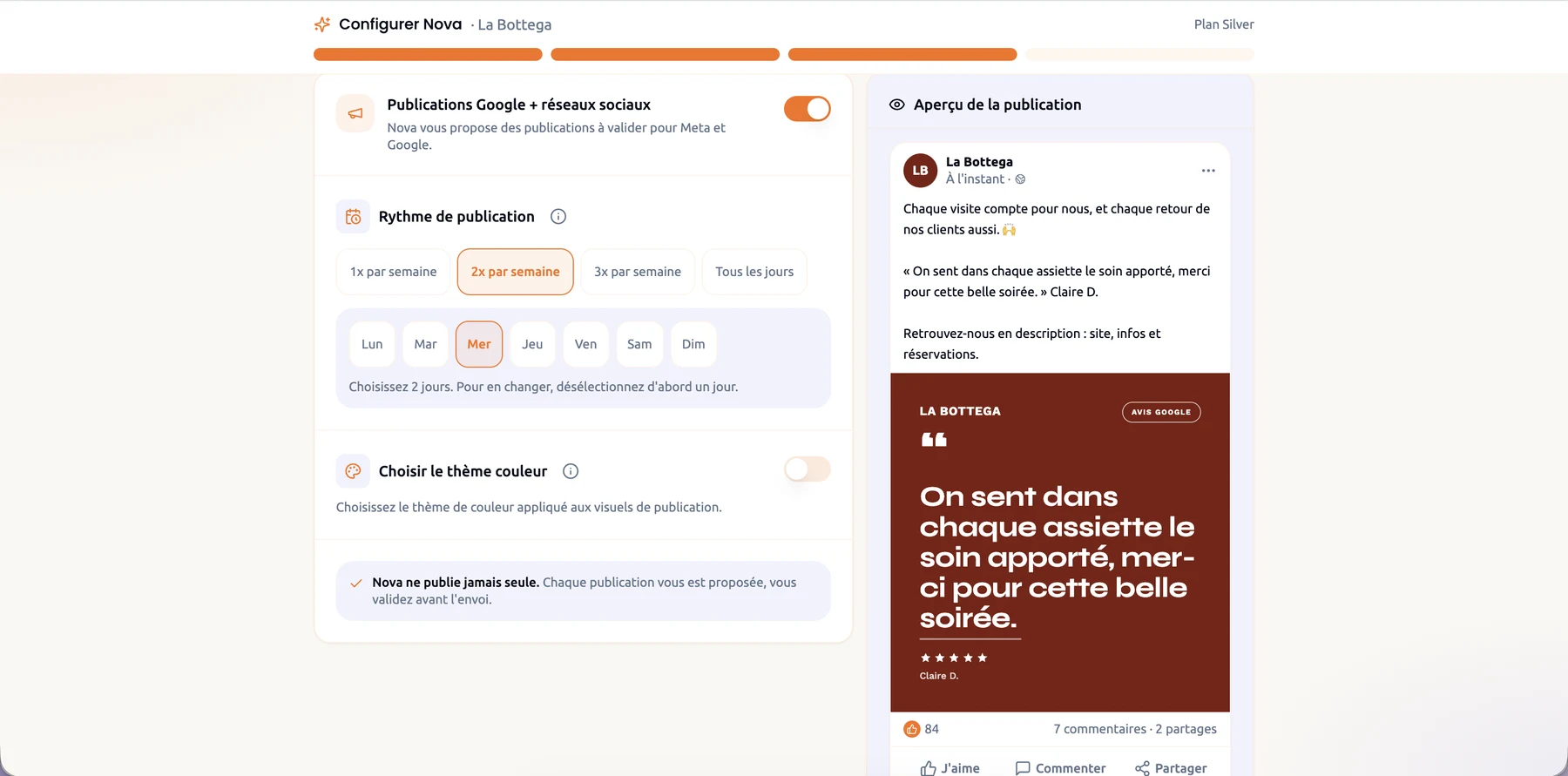
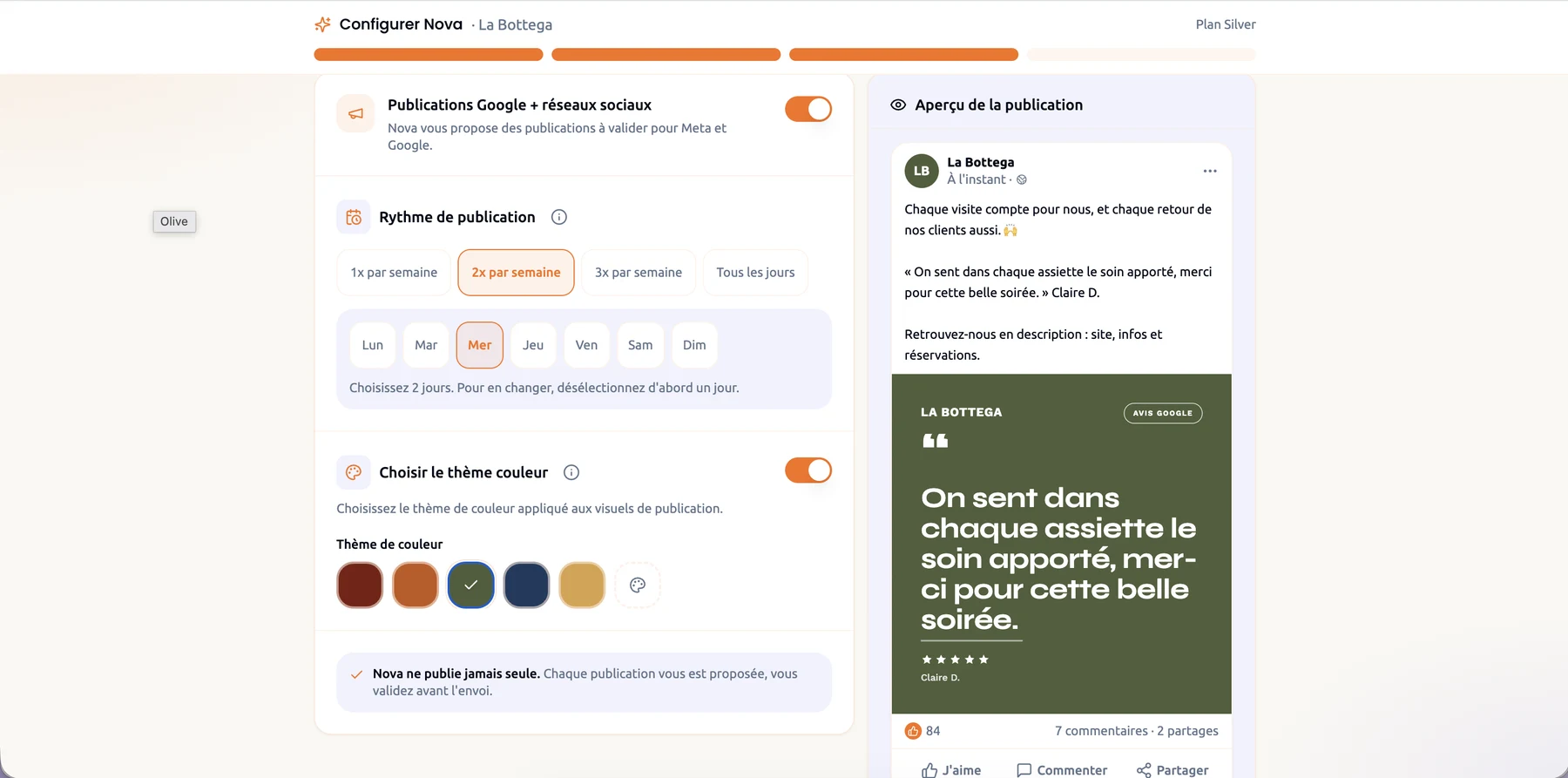
Colour theme
No HEX codes: owners pick a colour that fits their business.
Owners of local businesses rarely know their HEX values. So I based the colours on colour psychology and offered five main colours. We choose them from the sector of the business, which we already know when the user connects their profile.
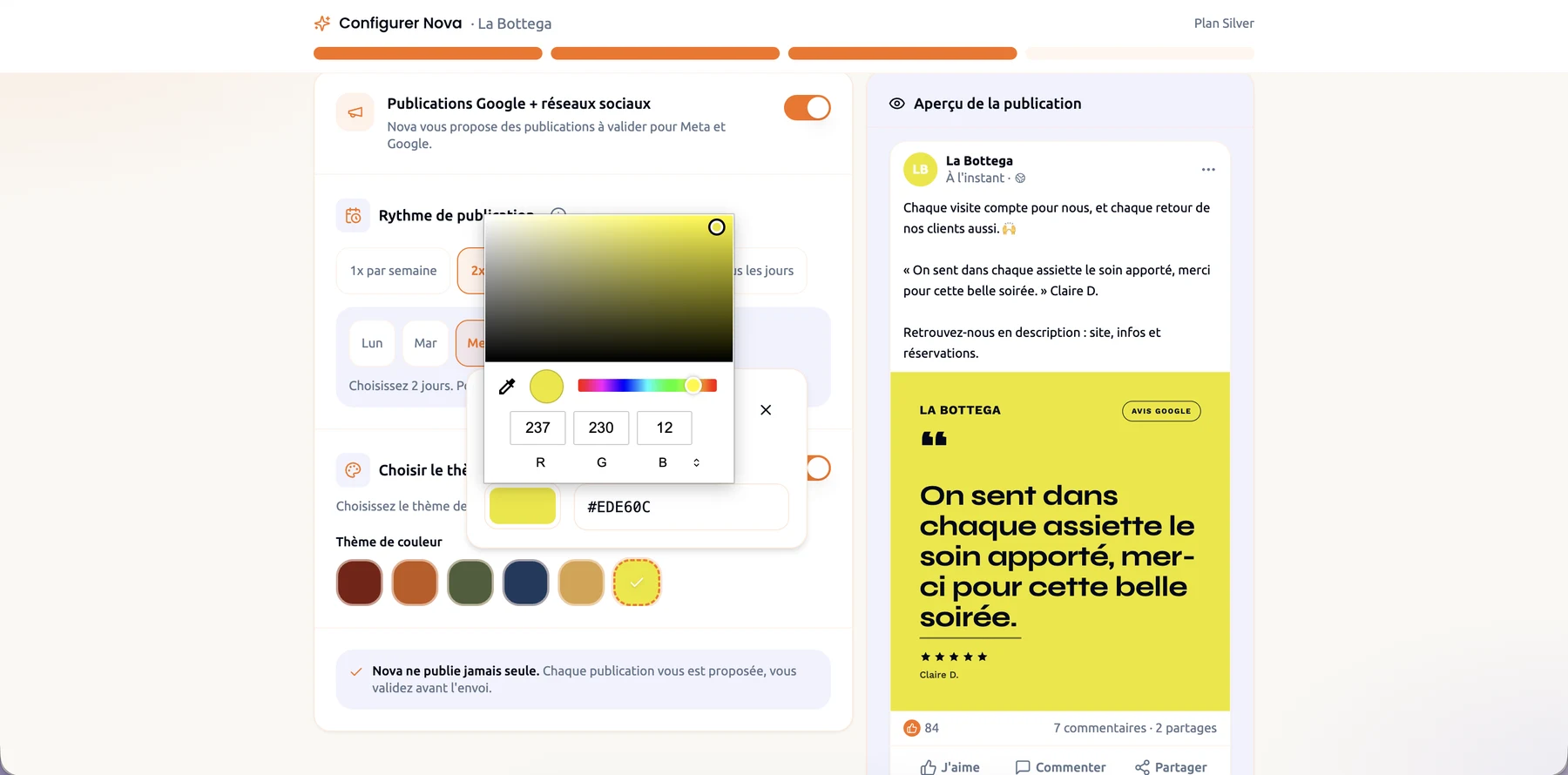
Custom colour
Any colour works, and the text always stays readable.
Users can still pick any colour they want. The risk is poor contrast, so a small piece of code chooses the text colour from the background. It meets WCAG AA, a contrast of at least 4.5:1. On the examples below, it is 10.5:1 on brick red, 6.9:1 on olive and 15.2:1 on yellow.
Demo
See the settings and the live preview working together.
What's next
Ready-made templates today, much more soon.
For now, we stay on ready-made templates. We will push the product much further. Follow Nova Reply to see what is coming.